Whiteout Survival Gift Codes – Updated (March 2026)
Are you looking for Whiteout Survival gift codes to get free gems, speedups, and resources?
You are in the right place.
We’ve updated the list below with the latest Whiteout Survival codes that you can claim today. Plus, you’ll learn how to redeem them on both Android and iOS.
Updated on March 11, 2026 – we’ve added a new code
Active Whiteout Survival Gift Codes
All the redemption gift codes posted in this article are official and safe. We collect these codes only from the official Whiteout Survival channels, and we test each one before posting it here to ensure it’s still not expired.
Here are the active Whiteout Survival codes, so redeem them before they expire:
- 88N4R6 – Redeem this code for a 3-day Primal Vibe Avatar Frame, 5x 100 Gems, 50x Min Speed, 2x 100 VIP XP (New)
- Herstory26 – Redeem this code for 1K Gems, 8x 1h Training Speedup, 50x 1K Meat, 50x 1K Wood, 10x 1K Coal, 5x 1K Iron, 2x 100 VIP XP, 2x Gold Keys (New)
- OFFICIALSTORE0306 – Redeem this code for 3-day Primal Vibe Avatar Frame, 5x 100 Gems, 50x Min Speed, 2x 100 VIP XP
- WOSHappyBirthday – Redeem this code for 1K Gems, 3x Mythic General Hero Shards, 10x 1h Training Speedup, 20x 5m General Speedup, 50x 1K Meat, 50x 1K Wood, 10x 1K Coal, 5x 1K Iron
- RamadanJoy2026 – Redeem this code for 1K Gems, 8x 1h Training Speedup, 50x 1K Meat, 50x 1K Wood, 10x 1K Coal, 5x 1K Iron, 2x 100 VIP XP, 2x Gold Keys
- HowieLovesWOS – Redeem this code for 1K Gems, Gold Key, 2x Platinum Key, 2x 100 VIP XP, 5x Chief Stamina
- gogoWOS – Redeem this code for 5x 100 Gems, 10K Hero XP, 2x Gold Keys, 20x 5m General Speedup
Expired Whiteout Survival Codes
- Teamwork
- WOS3YS
- WOS3ANNIVERSARY
- Blessing
- 822FORU
- OUNF42TI553
- KADN51L
- WOS26TGS
- YearoftheHorse
- OFFICIALSTORE
- VDay2026
- A7D9K2Q
- WOS0213
- wosjpfest26
- HappyFriday
- WOS0128
- 4EmmZBq4a
- V255xR64w
- seijin2026
- Byebye2025
- HowieLovesWOS
- INS200K
- HowieLovesWOS
- OFFICIALSTORE
- WOS1220
- Tiktok10Kfan
- Feast25
- OFFICIALSTORE
- GPBestOf2025
- FBmilestone
- Pepero1111
- DCMilestone
- WOS1105
- DiscordMilestone
- TrickorTreat25
- OFFICIALSTORE
- WOS1027
- 4RWdAG5Vb
- WOS1020
- A7F9K2R
- 7WmN2y
- HangulDay2025
- WOS1008
- BrightMoon
- welcometotgs25
- gogoWOS
- RedLeaves2025
- gogoWOS
- bonus
- WOSTIKTOK25
- UPDATE0915
- Teacher2025
- ST0914LOVE
- OFFICIALSTORE
- 901MUSIC
- zVgyyrbw0
- 200MDownlaod
- 821FORU
These whiteout survival gift codes no longer work. We’ve included them so you don’t waste time entering codes that are already expired. (Expired codes cannot be reactivated, even for new players or new servers.)
How to Redeem Whiteout Survival Gift Codes on Android
Here is how to redeem Whiteout Survival Codes (WOS codes) on Android:
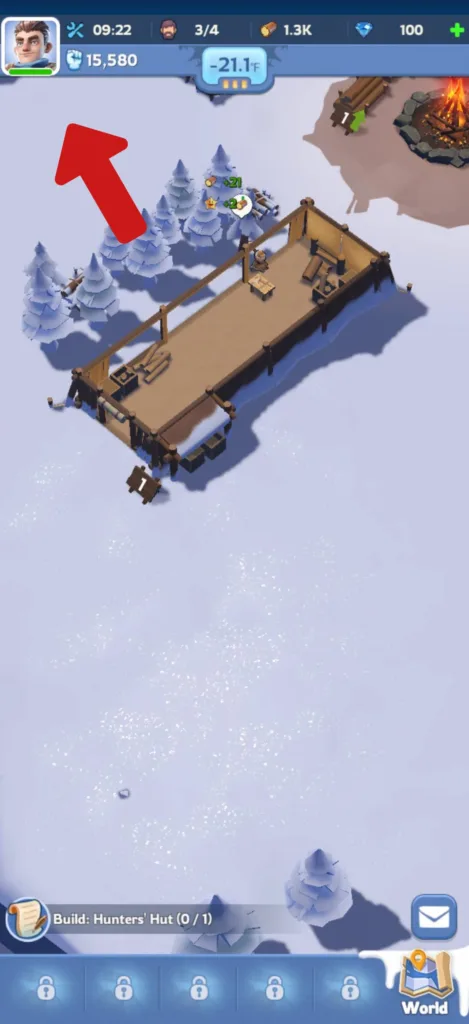
Step 1: Open the game and wait for your city to load, then tap your avatar in the top-left corner.
Step 2: Tap “SETTINGS” on the Chief Profile.
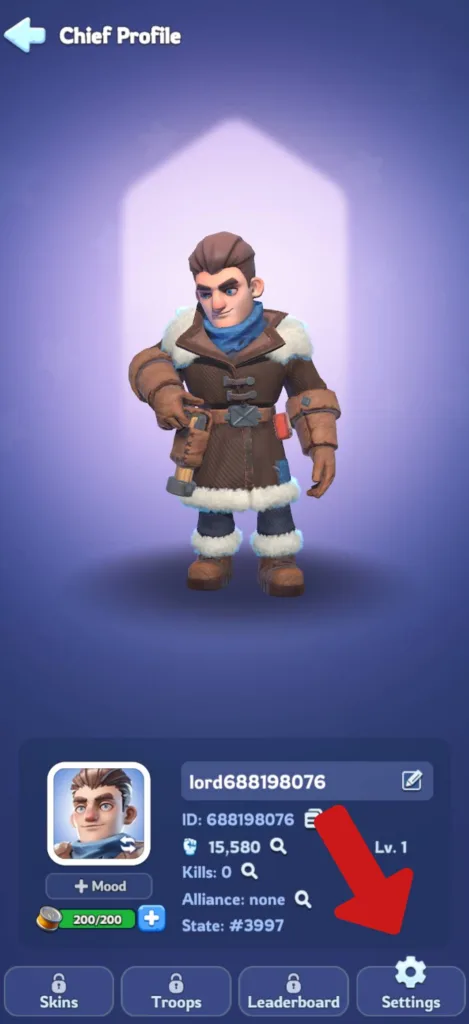
Step 3: Select “GIFT CODE”.
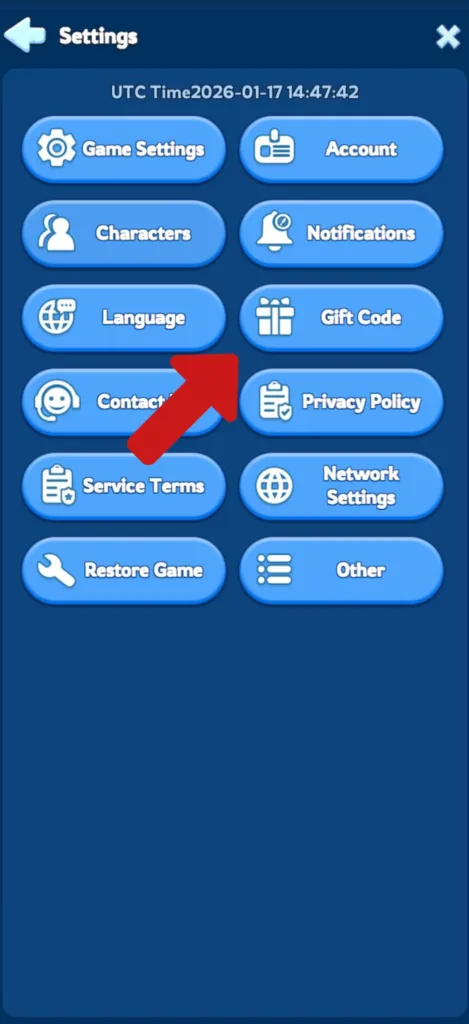
Step 4: Enter the whiteout survival gift code exactly as shown and tap “REDEEM”.
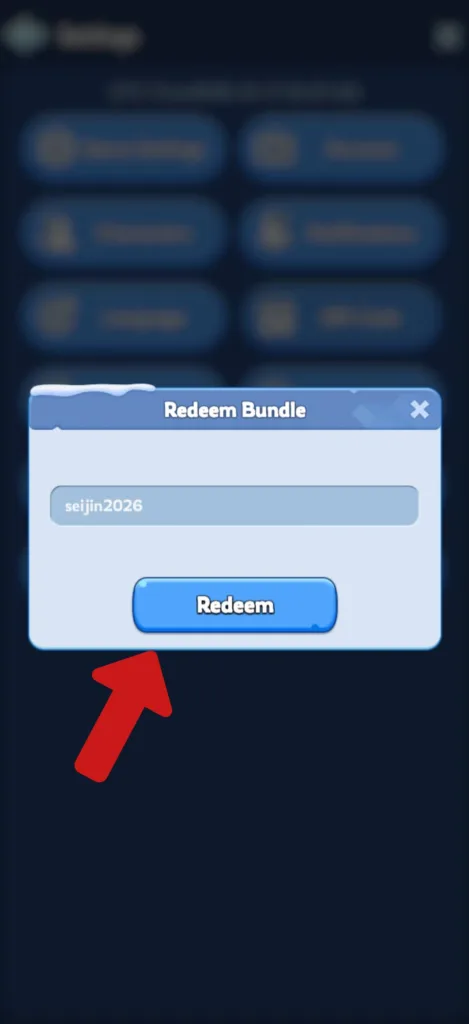
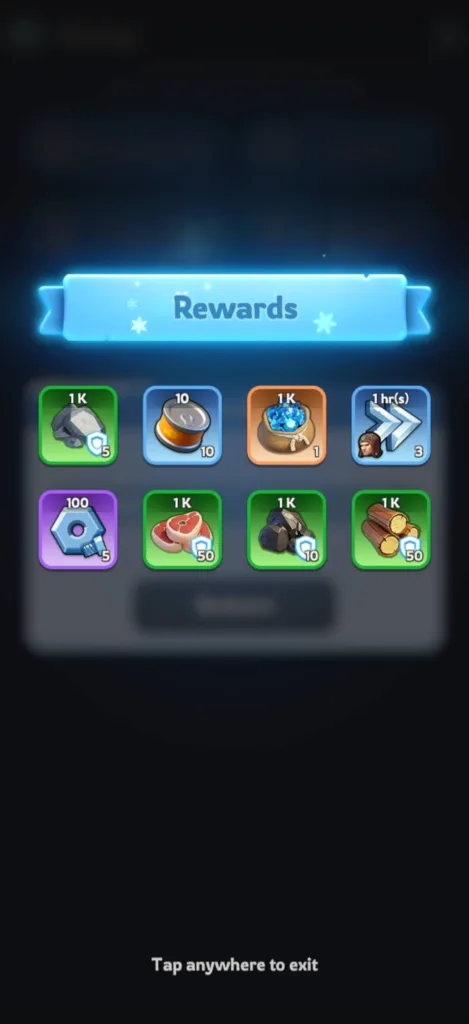
Step 5: Finally, tap anywhere to claim your gifts.
How to Redeem Whiteout Survival Gift Codes on iOS
iOS works a little differently. You can’t redeem the gift codes inside the game, you’ll need to use the official gift code center.
Here is how to redeem Whiteout Survival Codes (WOS codes) on iOS:
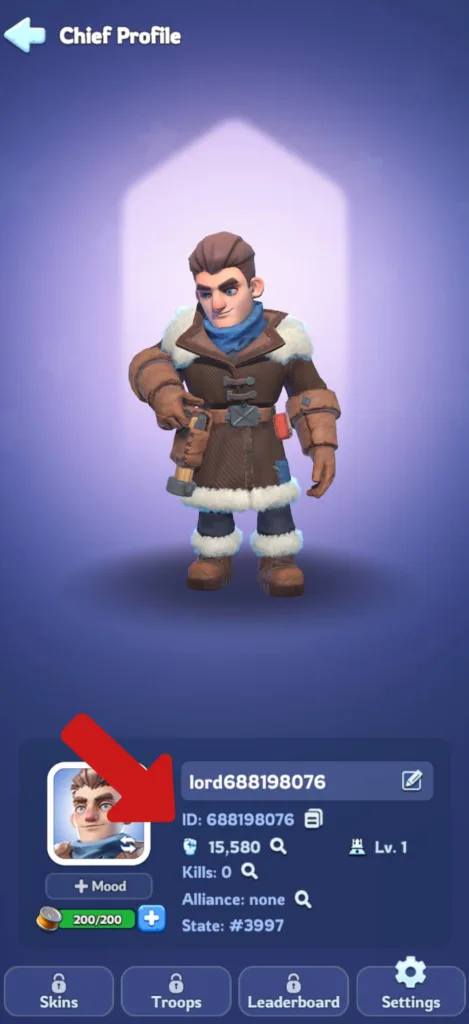
Step 1: Open Whiteout Survival and tap your avatar, then copy your Player ID ( the number shown under your name).
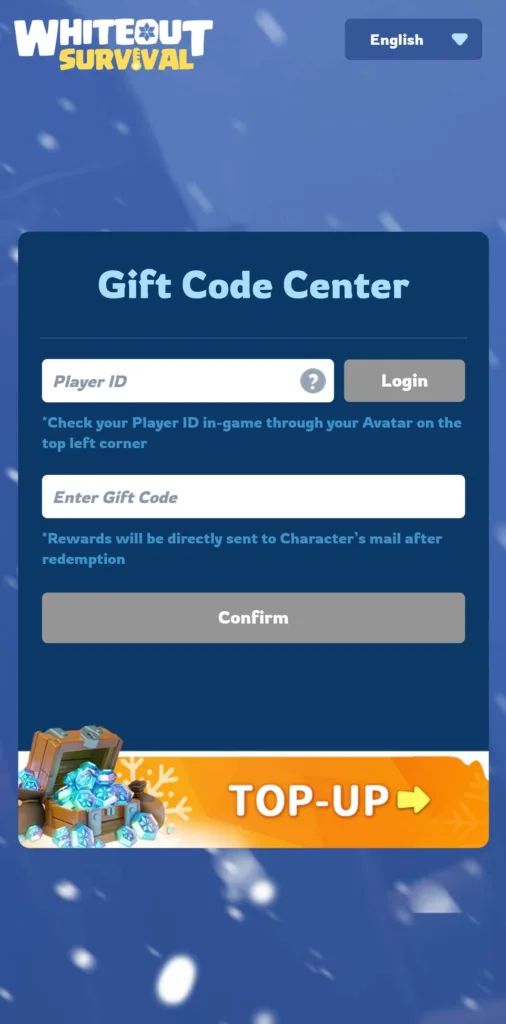
Step 2: Open the browser and visit the official gift code center.
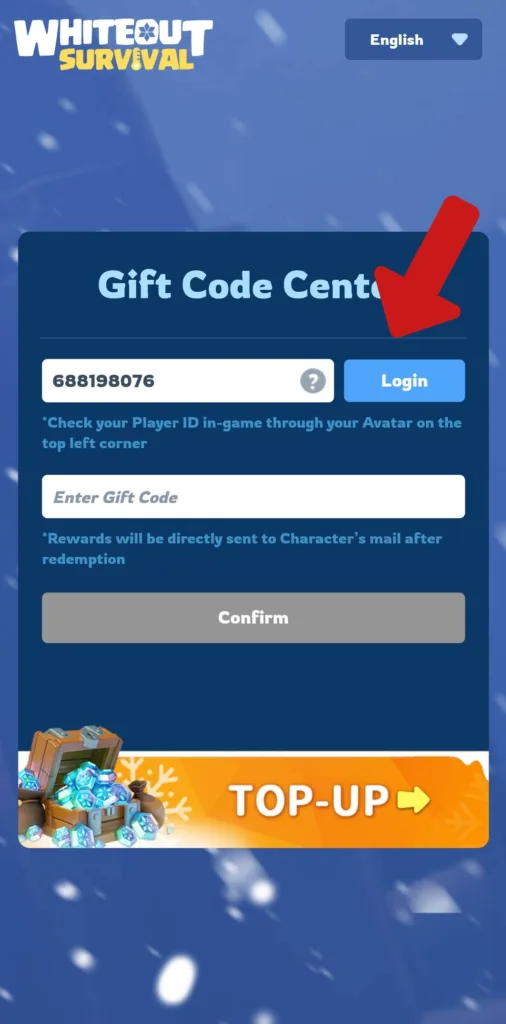
Step 3: Paste your Player ID in the first text box and tap on the Login button.
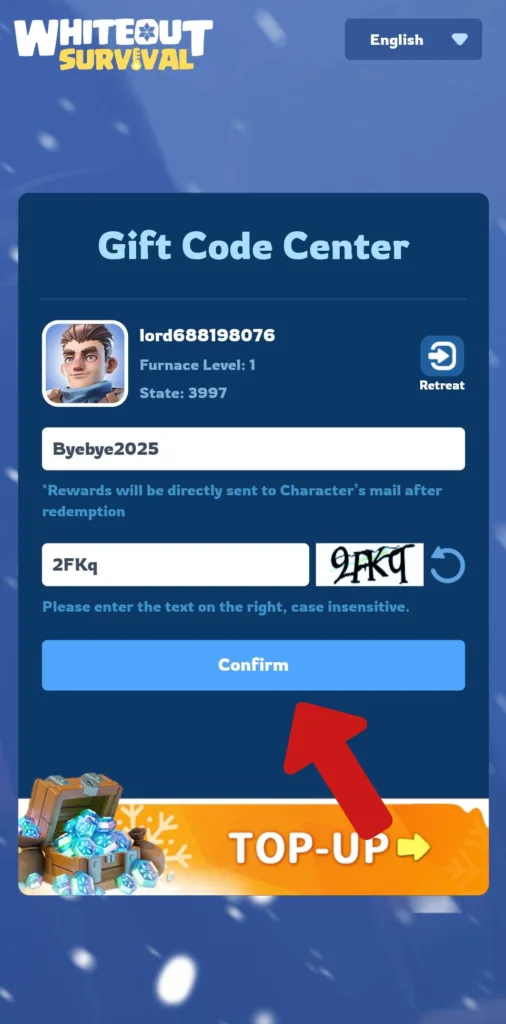
Step 4: Enter the gift code in the first text box and type the verification code in the second text box, then tap on the Confirm button.
Step 5: Go back into the game, open the mail and claim your rewards.
That’s it.
Whiteout Survival Codes FAQ
What are Whiteout Survival codes?
Whiteout Survival gift codes (WOS gift codes) are promo codes released by the developers of Whiteout Survival that you can redeem for free rewards like gems, stamina, gold keys, speedups, etc. These rewards will help you progress faster in the game without needing to spend money.
Why is my Whiteout Survival code not working?
A Whiteout Survival code usually fails because of one of the following reasons:
- The code has expired: each code can stay active for a specific period before expiring, and some codes are tied to specific time-limited events.
- You already redeemed the code on your account: each code can work one time per account, so if you’re trying to redeem the same code, it won’t work.
- You’ve entered the code incorrectly: you need to type the code as it is because Whiteout Survival codes are case-sensitive.
Do Whiteout Survival gift codes expire?
Yes. Whiteout Survival gift codes have an expiry date, which is why it’s important to redeem new codes as soon as you find them. So bookmark this page and check it regularly to ensure you don’t miss an active code. We’ll keep updating it with new gift codes.