
How To Play Match Masters With Friends
Are you playing Match Masters alone and still wondering if adding friends is worth it?
You’re missing out on one of the best parts of the game. Trust me!
Sure, solo play is fine. But when you add friends, it opens up a whole lot more possibilities.
In fact, my friends helped me collect stickers quickly and complete 46 albums in a short time:
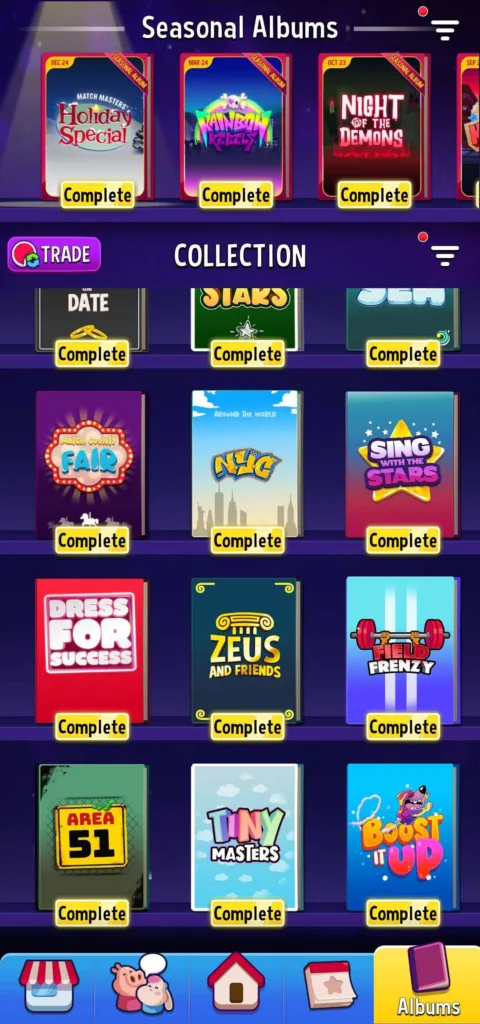
So if you want to learn how to invite friends to play Match Masters and earn awesome rewards, you’ll love this guide.
Let’s dive right in.
Why Friends Matter in Match Masters
Needless to say, Match Masters is better when played with friends. And here is why:
Trade stickers and complete albums faster
Albums reward you with cool prizes like legendary/SE boosters and super spins. But finishing them alone takes forever because diamond stickers are very RARE.
When you add friends, you can send them your duplicate stickers, and receive the ones you’re missing, which will help you fill your albums much faster.
For example, let’s say you have a list of 50 friends, this means you have 50 chances to get new stickers.
So why would you wait for a random drop, while you can simply ask a friend for that missing sticker?
Speaking of rewards…
Earn free rewards
When you invite friends, you earn big rewards through “Friend Fiesta” and “Win it Big Friends Edition” events. We’re talking about Super Spins, legendary booster boxes, and thousands of coins.
So every time you bring someone into the game, it thanks you with those sweet rewards.
By the way, you can earn more rewards by redeeming the Match Masters reward keys and codes.
Now, let’s talk about what comes after the rewards.
Improve your skills
When you play regular matches (PVP, Match Rumble, etc), you must select a booster and two perks, so if you win, you keep them.
But if you lose, you’ll lose your booster, perks, and trophies.
The question is:
How do you enjoy the game without risking your boosters or trophies?
Friendly Matches
You can challenge your friends in the game to private matches unlimited times, and you won’t lose your booster or trophies (even if you lose the game).
You can use these friendly matches to try a new booster or to master different game modes, so this will help you sharpen your skills through different game modes.
With that, let’s jump into how to invite friends.
How to invite Friends in Match Masters
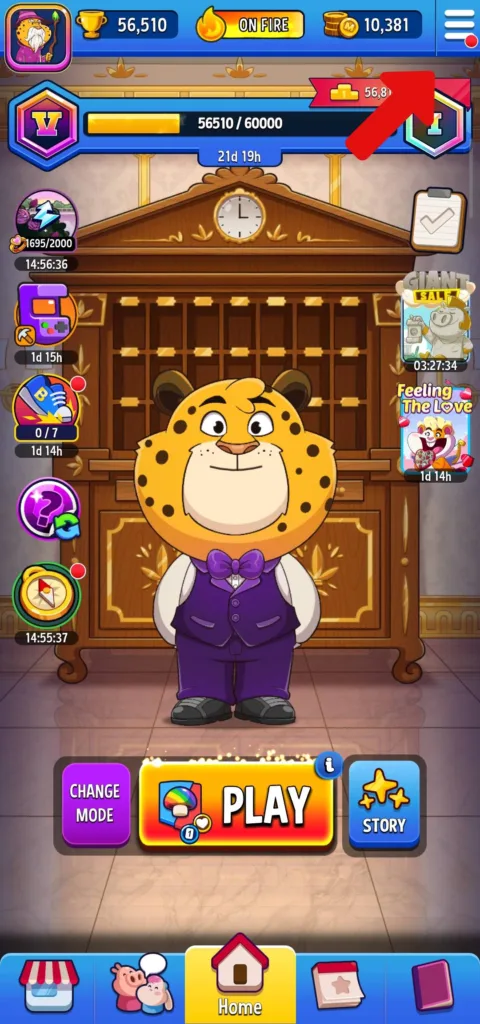
Step #1: Open the main menu by tapping the three-line icon at the top-right corner of the home screen.
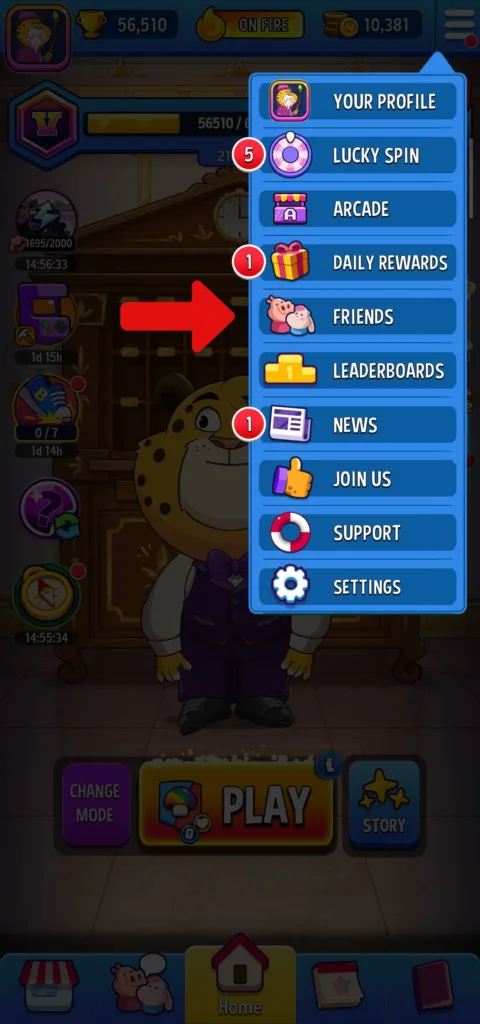
Step #2: Tap on “Friends” to open your friend list window.
Step #3: Tap the yellow invite button…
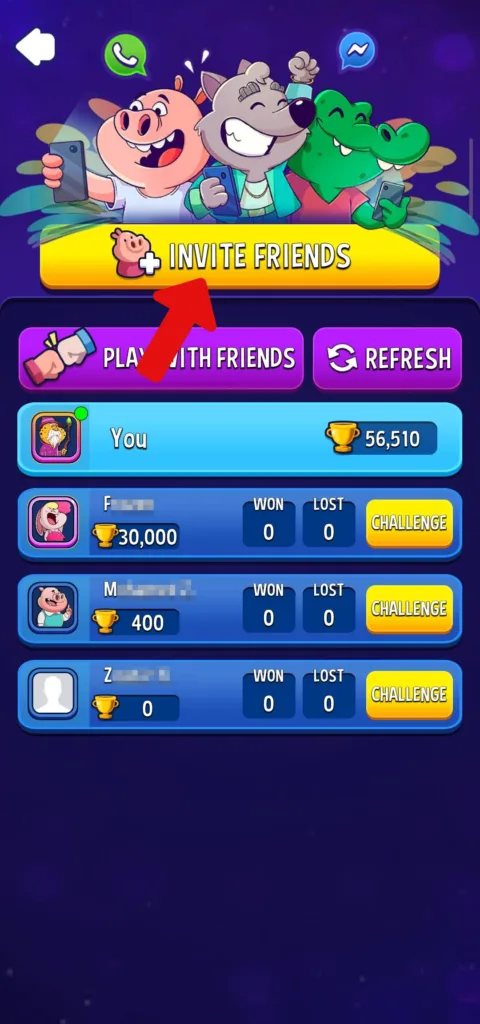
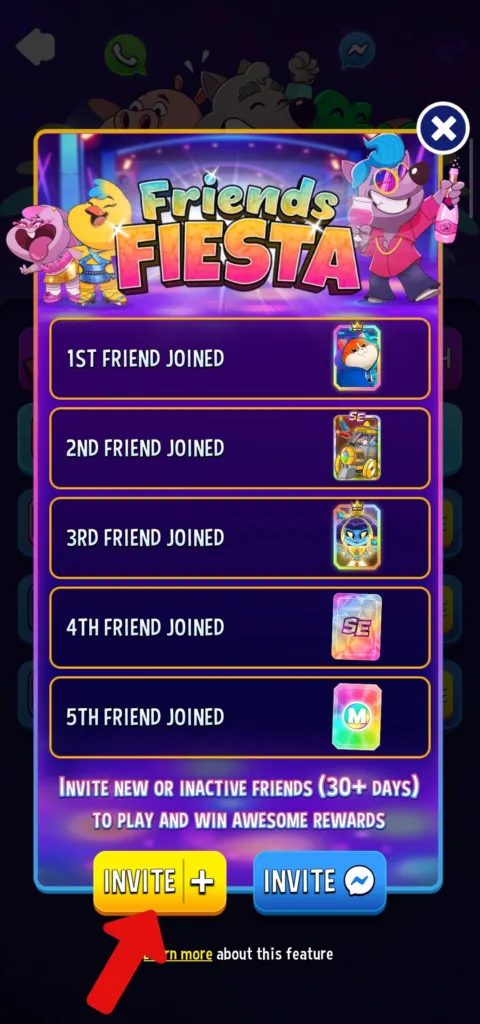
…to open the “Friends Fiesta” window, then tap the yellow invite button again to see your invite options or use the blue button to connect through Facebook Messenger.
Step #4: Choose how you want to send the invite (WhatsApp, text message, email, or any other app).
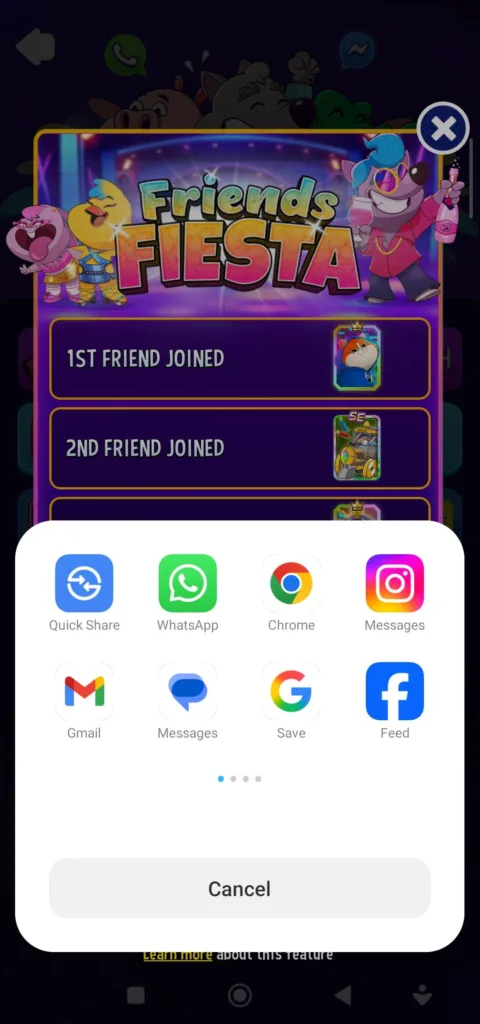
Now your friend needs to click the link and download Match Masters, then they will be added to your friends list.
However, if you have a friend who already plays Match Masters and connected Facebook to the game, it will be automatically added to your friends list when you connect your Match Masters account to Facebook too.
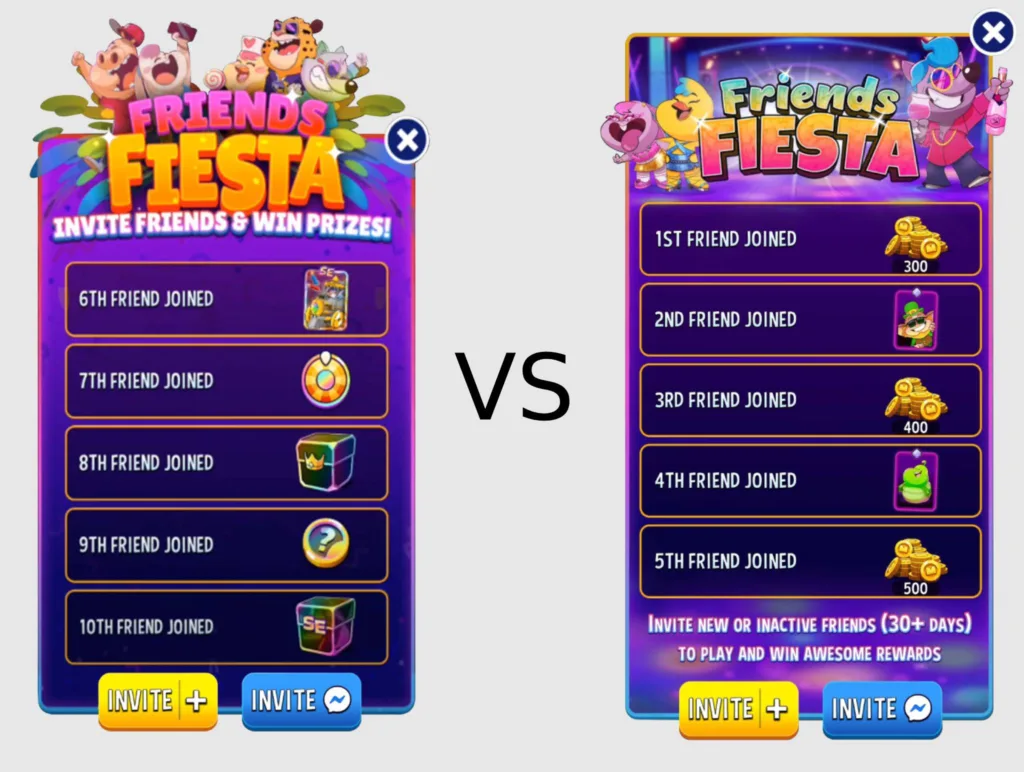
Pro Tip: If you just started and your rank is low, don’t rush to send friend invites because the rewards in the Friends Fiesta will not be worth it (300-500 coins, diamond level 1 boosters, and white stickers).
Instead, wait until you reach the Legends League (30K trophies), and you’ll earn incredible rewards.
(Legendary and SE booster boxes, sticker tokens, and super spins.)
Look at this image to see the HUGE difference:
And if you want to get the most out of each invite, you need to wait for the “Win it Big: Friends Edition” event.
During this event, you’ll earn raffle tickets by inviting new friends to the game and each ticket gives you a 1-in-10 chance to win prizes in a big raffle at the end.
So the more new friends you invite means the more tickets you collect and the better your chances of winning.
How to Remove Friends
Sometimes you need to clean up your friend list to remove inactive players.
Here’s how:
First, open the menu and tap on “Friends”.
Next, tap on the friend you want to remove and tap on the red “Remove” button next to their name.
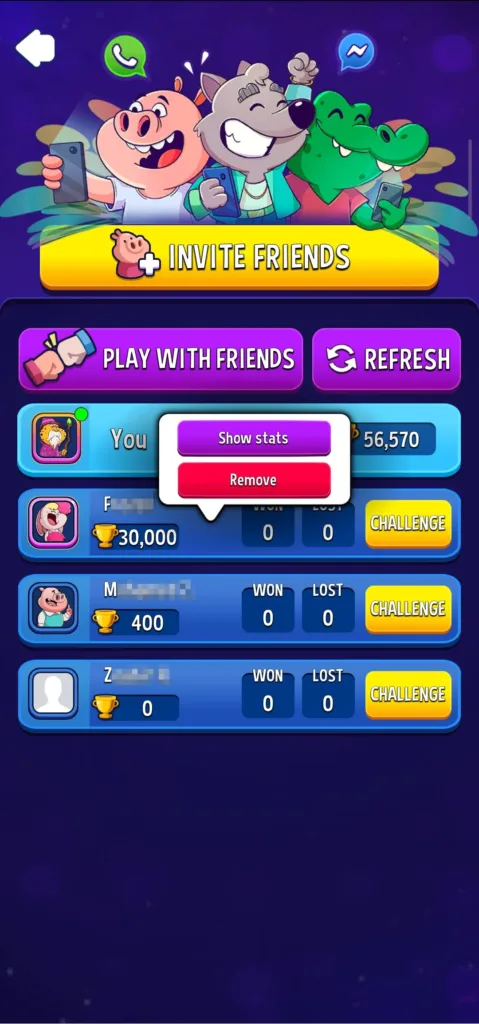
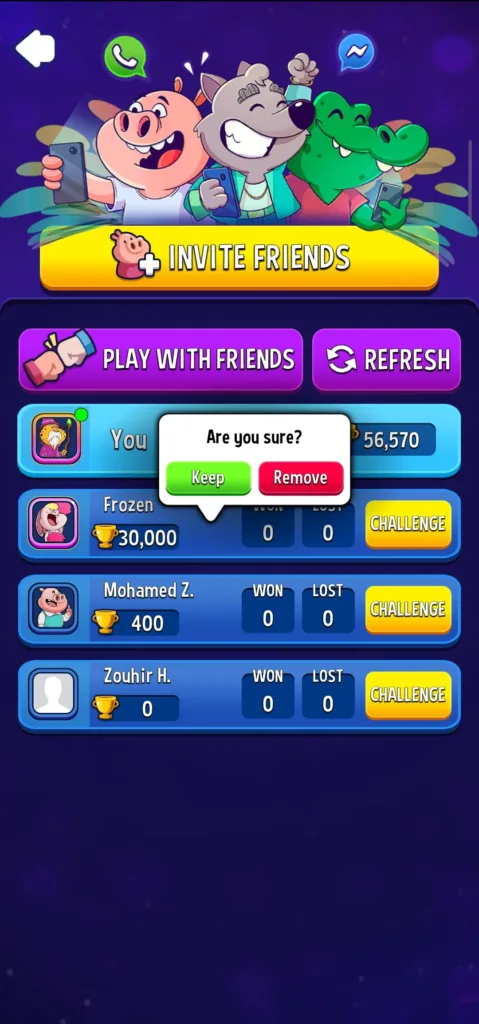
Finally, confirm the removal by tapping “Remove” in the pop-up.
Note
If you want to remove the friends who’ve been added to the game through Facebook, then you’ll have to unfriend them on Facebook.
How to Play with Friends in Match Masters
Now you know how to add friends, it’s time to learn how to challenge them:
How to set up a friendly match
Step #1: Open your friends list and hit the “Challenge” button next to their profile. Or go to the events section and tap “Private”.
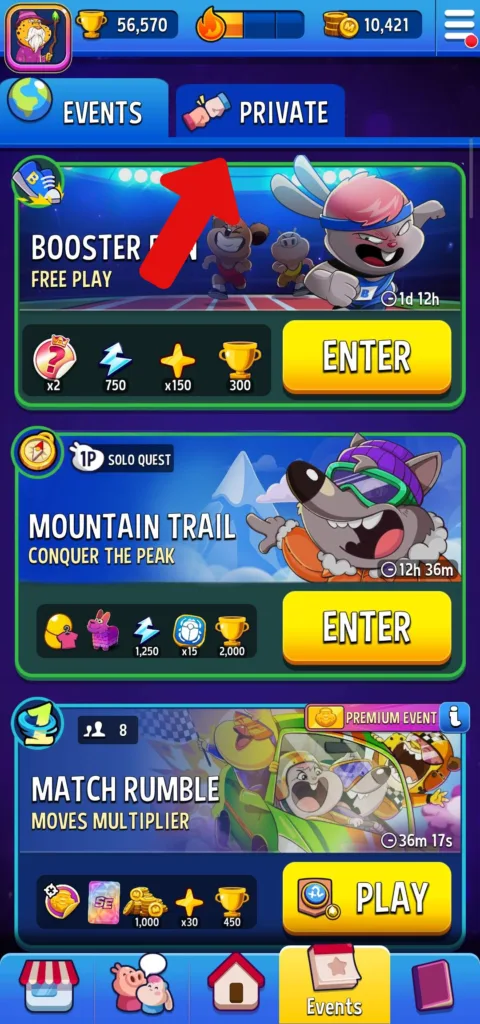
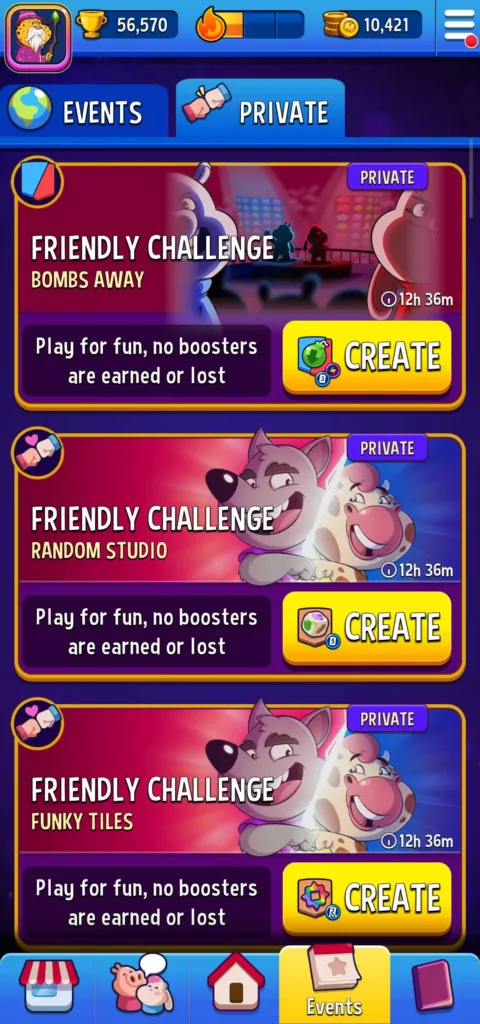
Step #2: Pick the game mode you want to play (Classic, Showdown, Tournament, or Match Rumble), then tap “Create”.
Step #3: Select your booster and perks, then tap the play button (your private challenge is now live).
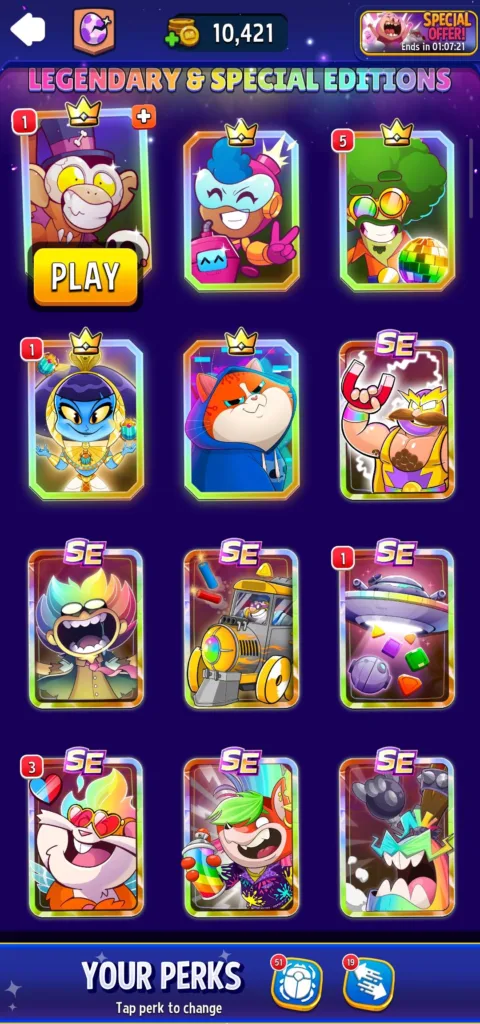
Step #4: Share the game code or link with your friend or tap Invite Team to drop the challenge in team chat.
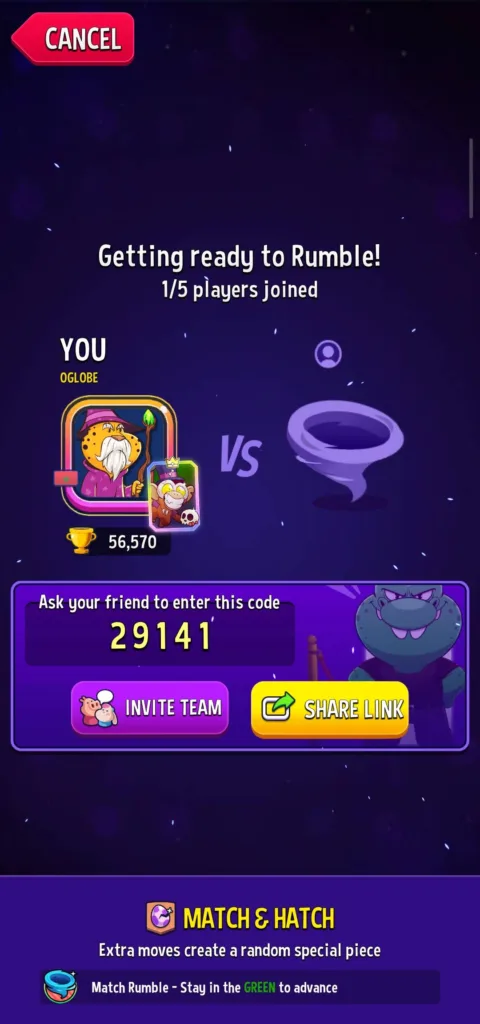
Now, just wait for your friend to join the challenge.
How to join a friend’s challenge
What if your friend is the one who created the challenge? Here’s how to join:
First, go to the events section and tap “Private”.
Then, enter the code they sent in the “Enter Game Code” field and tap join, or ask them to send you the link, which you can click to join directly.
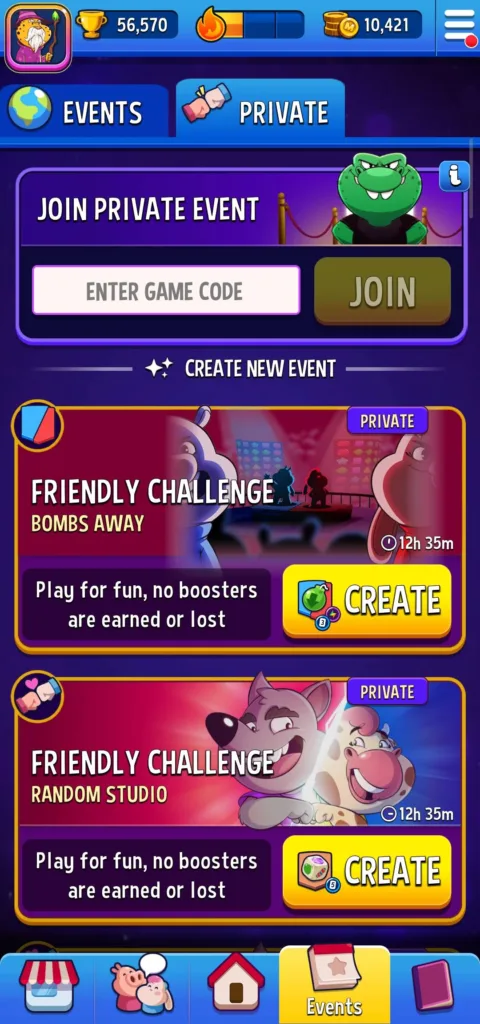
Easy.
FAQ
Why can’t I add more friends on Match Masters?
If you can’t add a new friend in the game, you might reached the friend limit. The game lets you have up to 100 friends. And to add someone new, you must remove a few existing friends to free up space then try adding your new friend again.
Why aren’t my Match Masters friend rewards showing up?
To earn the invite reward, your friends need to be new to Match Masters, or haven’t played for more than 30 days. Plus, they need to join through your invite link and can’t have been invited by someone else first.
So if they meet all those conditions, and you still don’t get the reward, then ask them to open the game through your link again.
By the way, Facebook friends only give you 50 coins when they join.
Conclusion
So… is adding friends in Match Masters worth it?
Absolutely.
When you play alone, you’re relying on luck for stickers. But once you build a solid friend list, you trade your duplicate stickers.
You complete albums more quickly. You unlock bigger rewards. And you improve your skills without risking trophies (and boosters) in friendly matches.
Plus, the rewards you get from the “Friend Fiesta” are just too good to pass up (especially if you follow my tip and wait until you’re in the Legends League).
See you on the board!
Developer: Candivore
Platforms: Android, iOS
Release Date: July 23, 2017
Mode: PVP, Multiplayer